

Ministry of the Knowledge Economy, Start-ups and Micro-enterprises

Deadlines, statuses and special cases

Chapter 8 of 9

Open My requests

After submission: read the status of the request, respond when an action is required and follow the notifications. The deadline rules specific to Innovate or Pay are summarised at the end of this chapter and detailed in its own chapter.

Follow the request

Open the request from My requests. The Next action box tells you whether anything is expected from you. The main statuses:

Draft
Being prepared, not sent.
Submitted / Under review
Received by the administration; no action needed from you.
Additional information required
The administration is waiting for a response or a document from you.
Approved / Document issued
Decision made; the official document is downloaded from the request.
Closed as Néant
Innovate or Pay: automatic closure after the correction period expires (see this case).
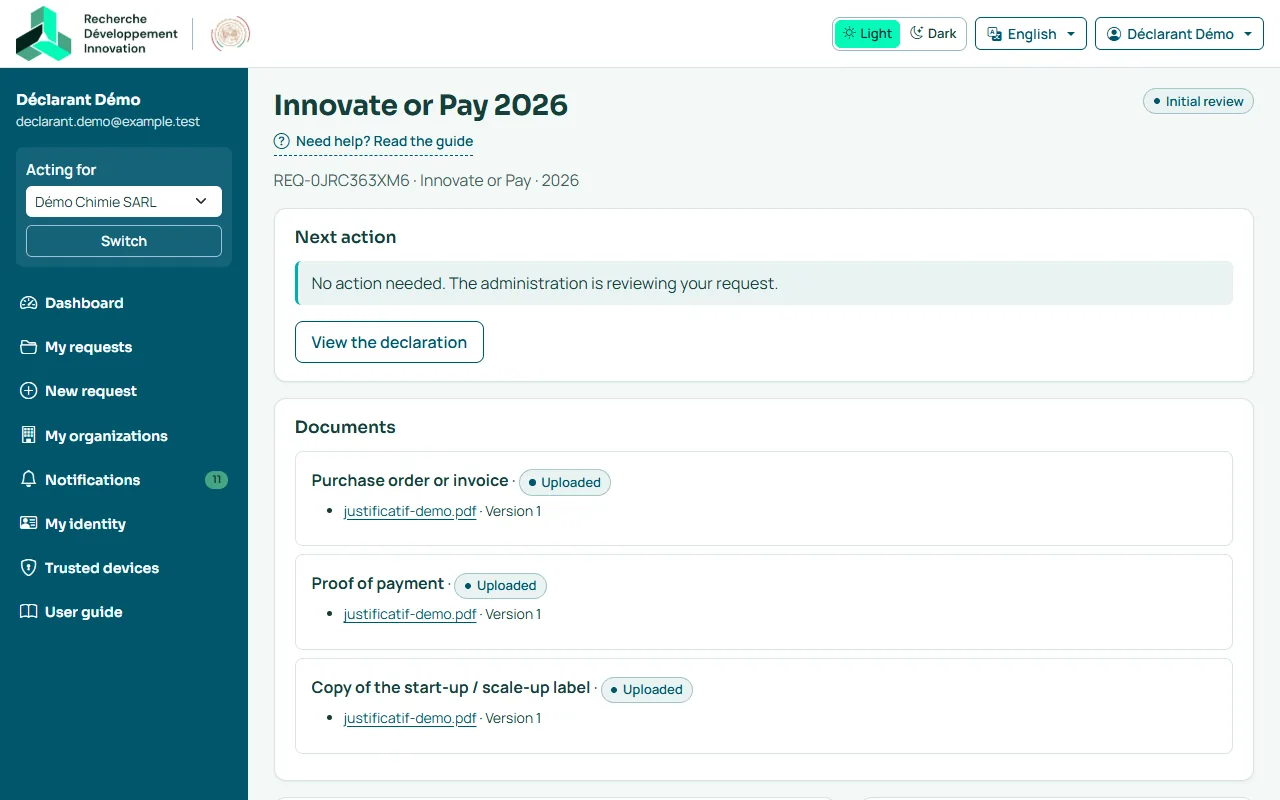
Submitted request, Under review status, Next action box Submitted request, Under review status, Next action box (phone view)
After submission: “No action needed. Your request has been received.”

When an action is required

If the administration asks for information or a document, the request moves to Additional information required and you receive a notification. Open the request, read the Information requested box (with its deadline), enter Your response, upload the requested documents, then click Send my response. Your response creates a new version of the request: the review resumes where it stopped, without starting over.
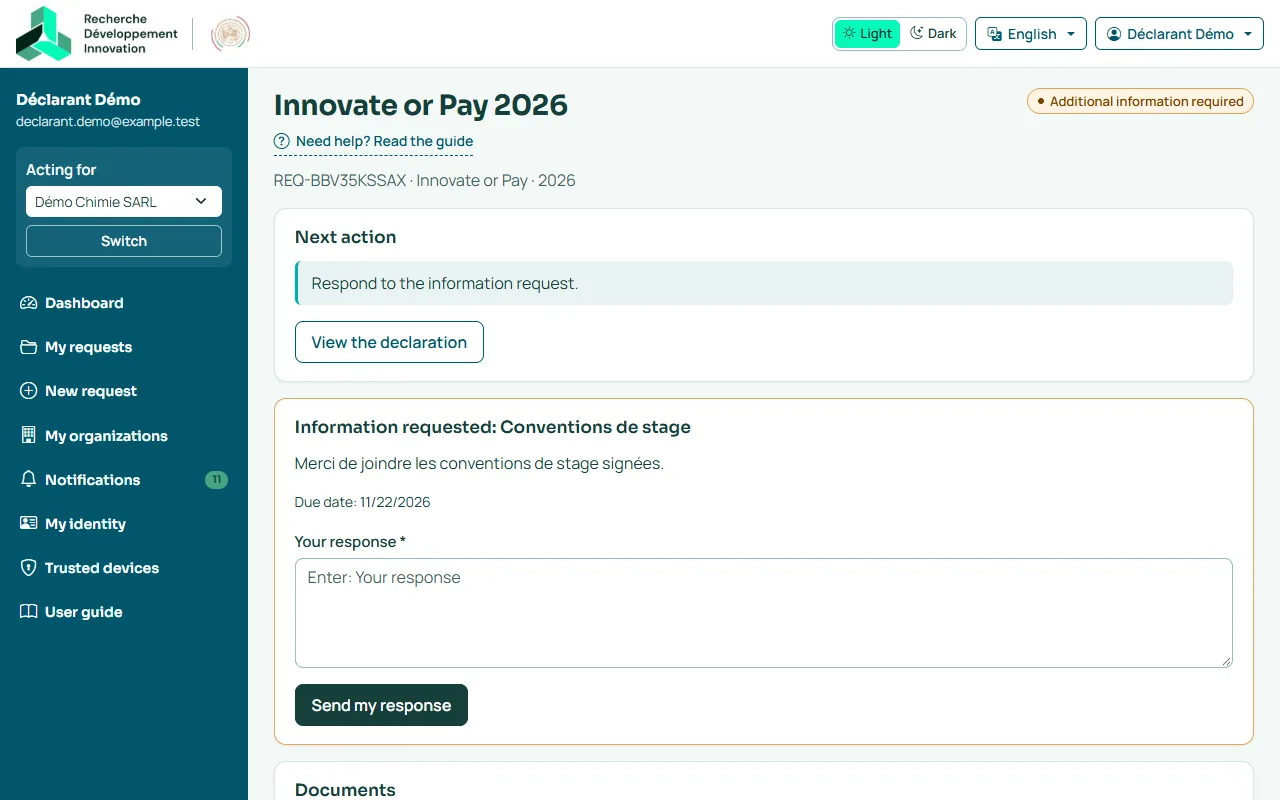
Request with the Information requested box, the deadline and the Your response field
The orange box states what is requested and the deadline; respond before that date.

Notifications

The Notifications bell in the menu shows the number of unread messages: request received, status change, information requested, document issued, reminders before deadlines. Each notification is also sent by e-mail and links to the request concerned.
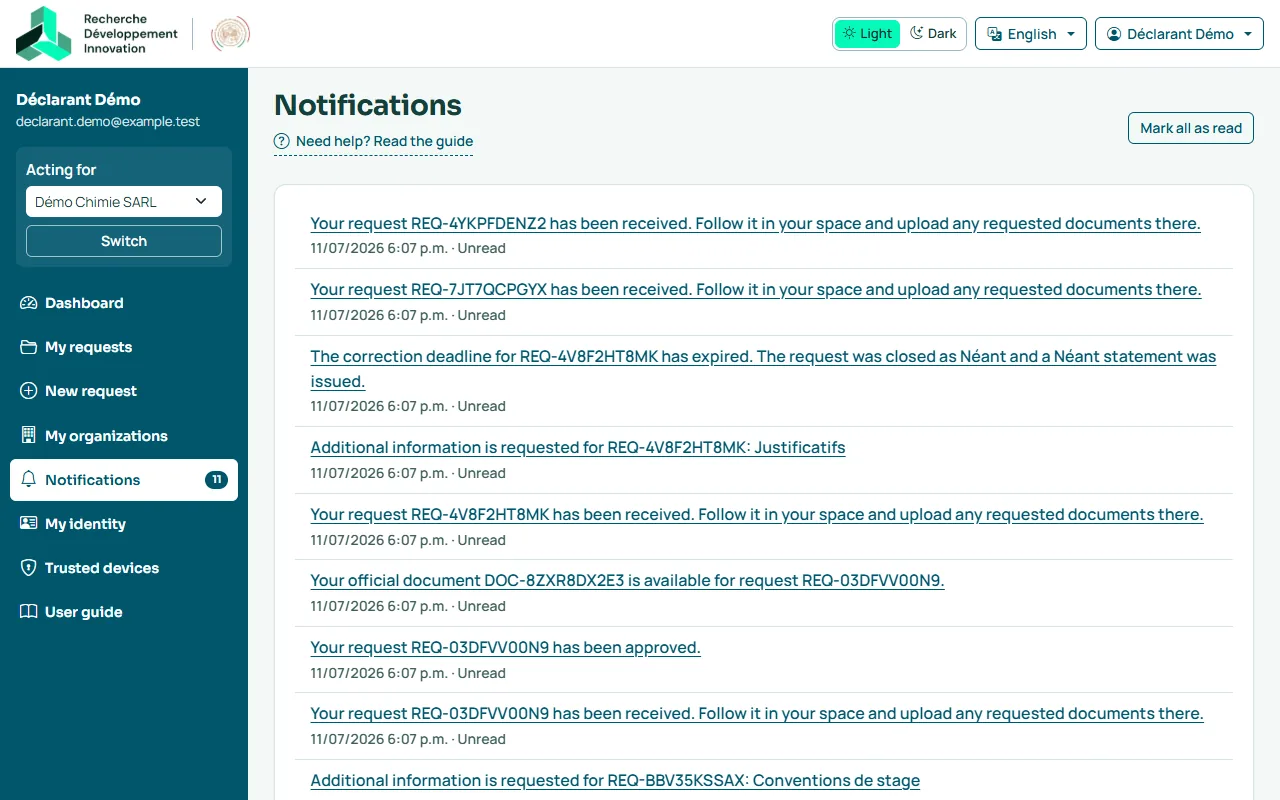
Notifications page with the list of messages
Each message carries the request reference and a direct link.

Deadlines and special cases

Submitted request
It can no longer be edited or cancelled in the ordinary way. If there is an error, contact the administration with the reference (REQ-…).
Information requested
Your response creates a corrected version; the review resumes without restarting the request.
Decision pending
The status remains “Submitted / Under review”; the platform sets no response time. For any question, use the Contact page.
Innovate or Pay: deadline
File before 31 January 2027 for fiscal year 2026; what changes after that date is explained in Deadlines and rejection cases.
Innovate or Pay: correction period
15 days to respond; without a response, the request is closed as Néant (details).