

Ministry of the Knowledge Economy, Start-ups and Micro-enterprises

Getting started and registration

Chapter 1 of 9

Sign in

This chapter presents the journey shared by the four services, then account creation and sign-in. There is no password to create: you create your account and sign in with your e-mail address and a code sent by e-mail.

The common journey, in 9 steps

These steps are the same for all four services. The steps specific to each service are detailed in its chapter (Innovate or Pay, Internal R&D Expenses, Open Innovation Program Expenses, Open Innovation Matching).

  1. Account
  2. Identity
  3. Organization
  4. Request
  5. Draft
  6. Activities
  7. Documents
  8. Submission
  9. Follow-up

Create an account

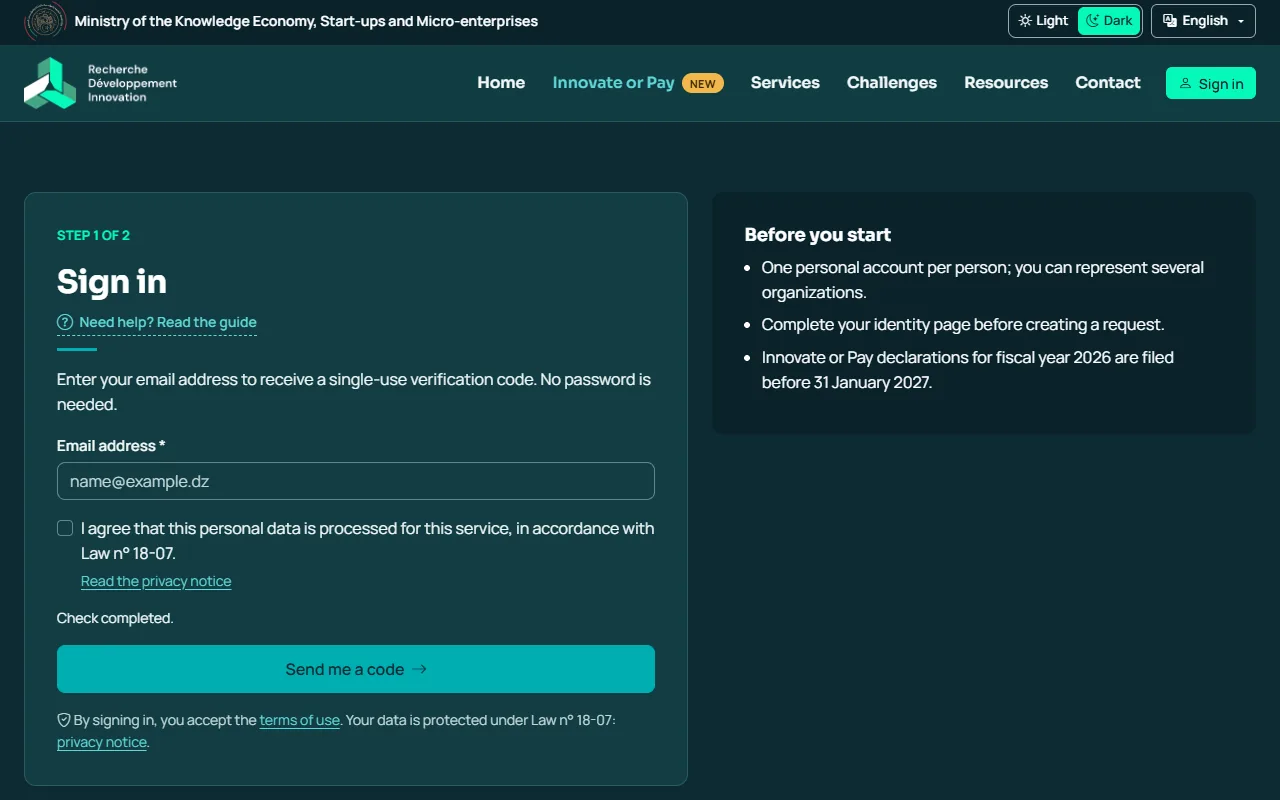
From the home page, click Sign in (or Get started in this guide). Enter your personal e-mail address, copy the digits shown in the image, accept the processing of your data, then click Send me a code. If you do not have an account yet, it is created at this point.
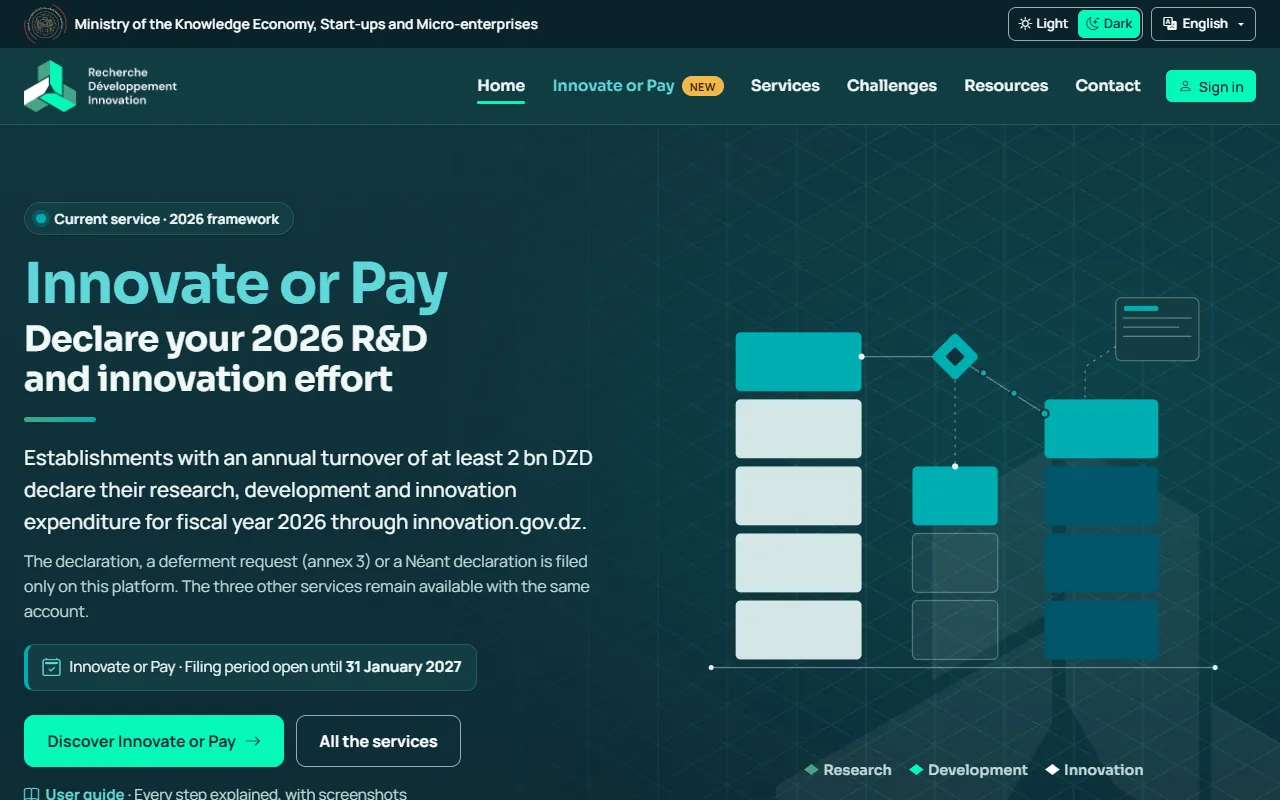
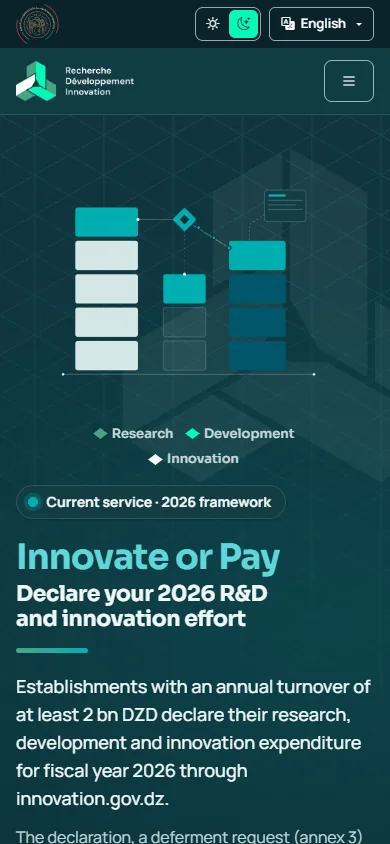
innovation.gov.dz home page with the Sign in button and the User guide link innovation.gov.dz home page with the Sign in button and the User guide link (phone view)
On the home page, the Sign in button is at the top right; the User guide link is under the main buttons.
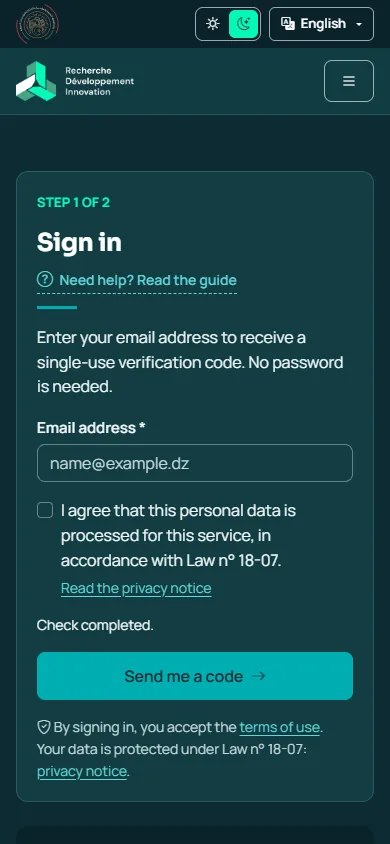
Sign in page: e-mail address field, verification image, consent box and Send me a code button Sign in page: e-mail address field, verification image, consent box and Send me a code button (phone view)
Step 1 of 2: your e-mail address, the digits in the image and your consent, then Send me a code.

You receive an e-mail containing your innovation.gov.dz verification code. The code has six digits and is valid for ten minutes. Enter it and confirm. If no e-mail arrives after a few minutes, check your spam folder, then use Send a new code.
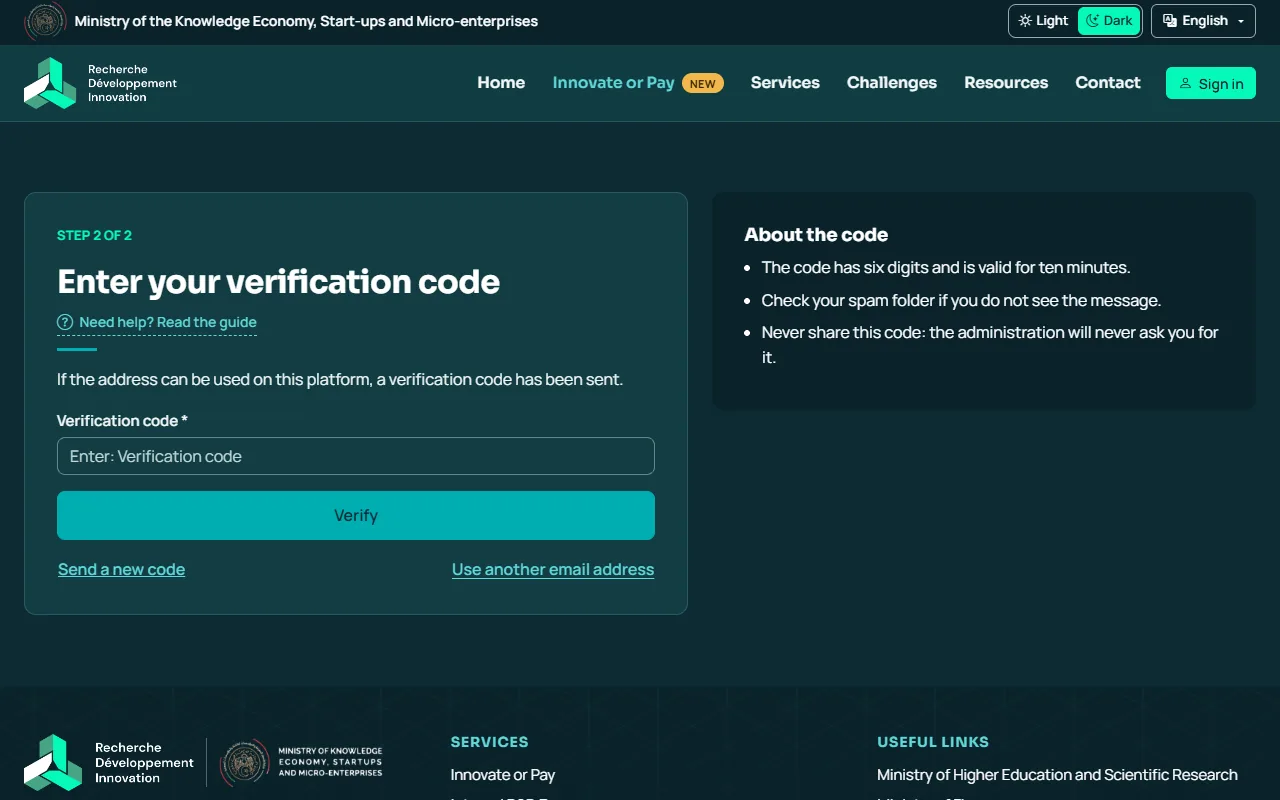
Enter your verification code page with the six-digit code field
Step 2 of 2: enter the code received by e-mail. Never share it with anyone.
Create an account Sign in Creating an account and signing in use the same page: enter your e-mail address.

Next step: complete your identity and your organization profile, both required before any request.