Before any request, two pieces of information must be complete in your account: your personal identity and the profile of the organization you represent. They are shared by all four services.
2
Complete your identity
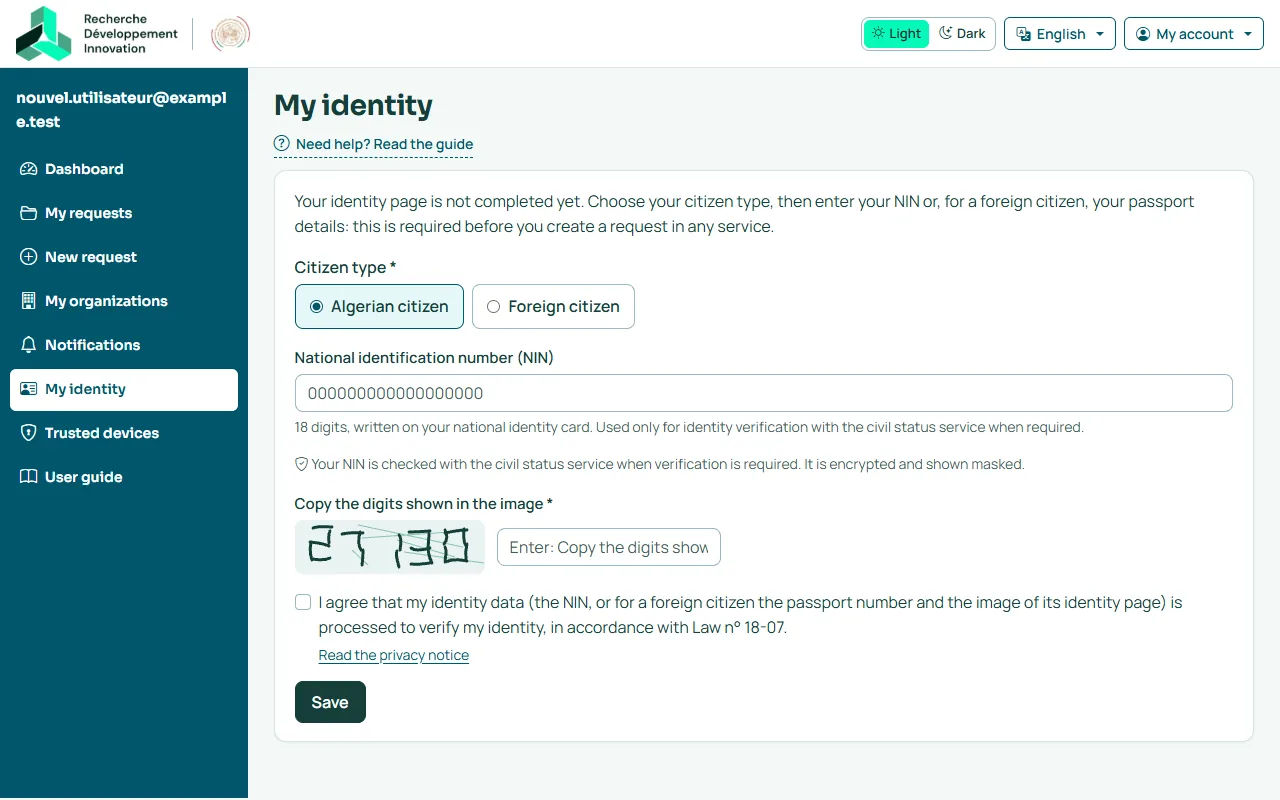
Before any request, open My identity and first choose your Citizen type:
Algerian citizen
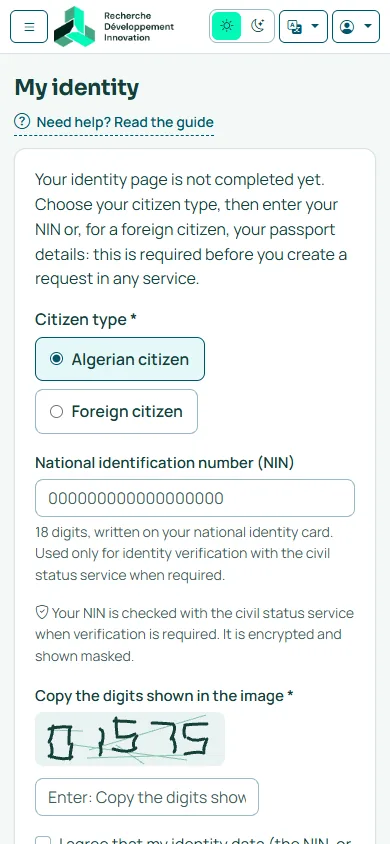
Enter your national identification number (NIN): exactly 18 digits, with no spaces. If needed, it is used to verify your identity with the civil registry. It is encrypted and then only shown masked.
Algerian citizen: a single field, the 18-digit NIN.
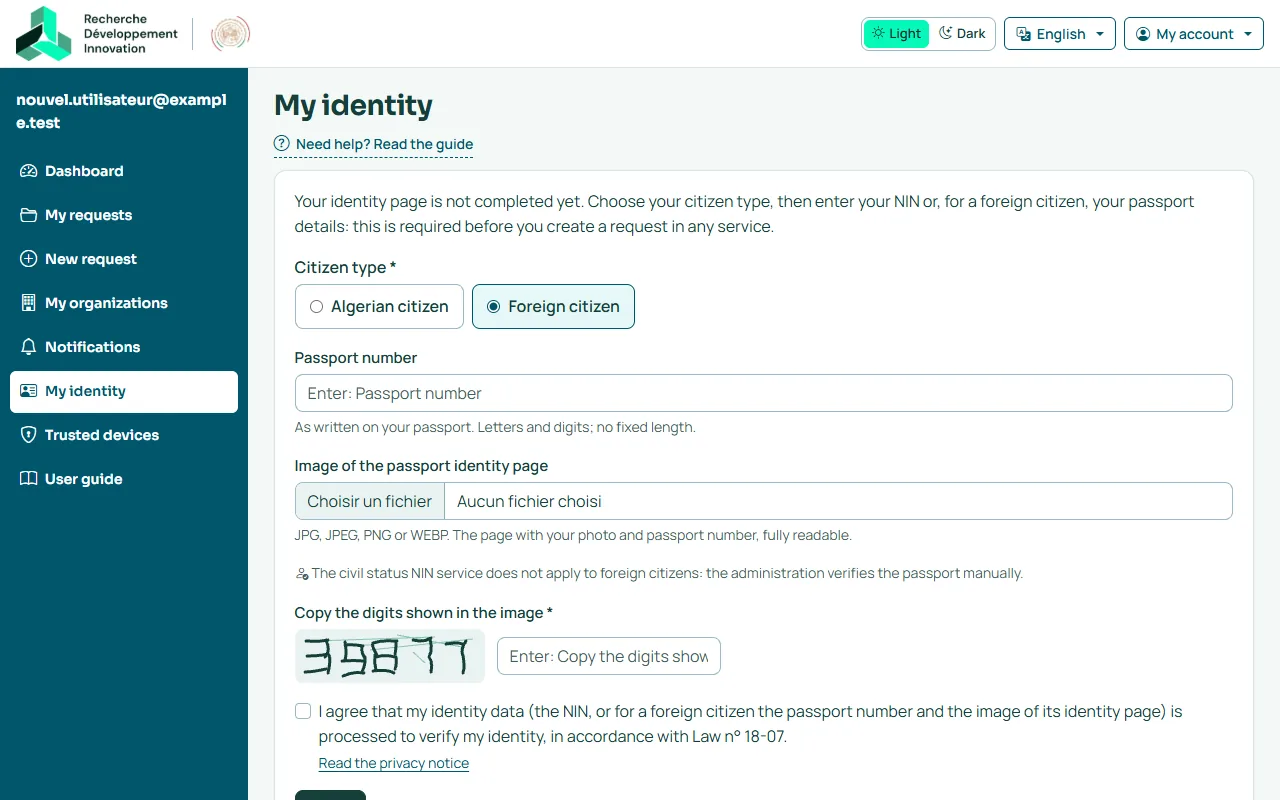
Foreign citizen
Enter your passport number exactly as written (no fixed length) and upload an image of the passport identity page (JPG, JPEG, PNG or WEBP). The administration checks this information manually.
Foreign citizen: the NIN field disappears; the passport number and identity page image appear.
The consent box simply means that you accept that this information is used to verify your identity, in accordance with Law No. 18-07. Changing the citizen type erases the information of the other type.
3
Add the organization profile
In My organizations, click Add an organization. This creates the profile of your company or institution in your account: the platform does not create a company and does not replace any legal formality.
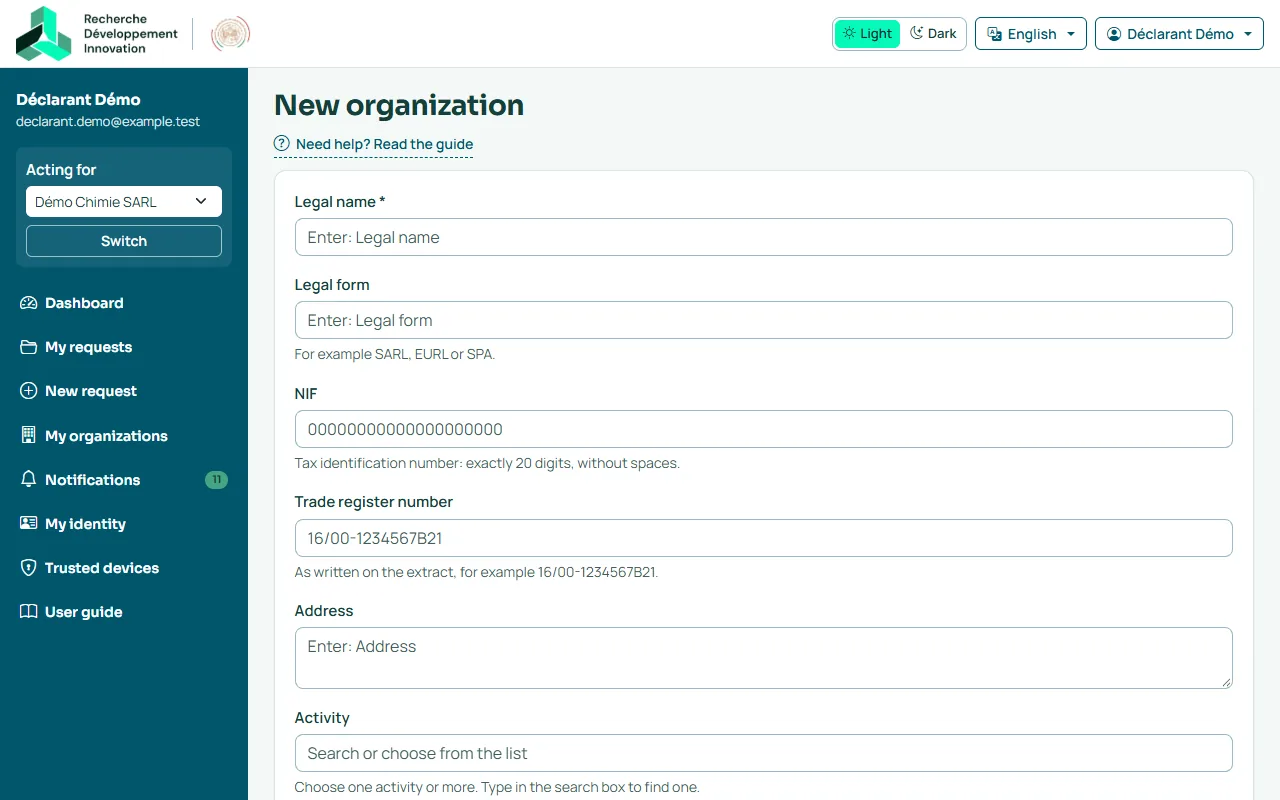
Enter the company name, legal form, NIF (20 digits), trade register number, address, activity and contact details.
The New organization form: legal identifiers and contact details.
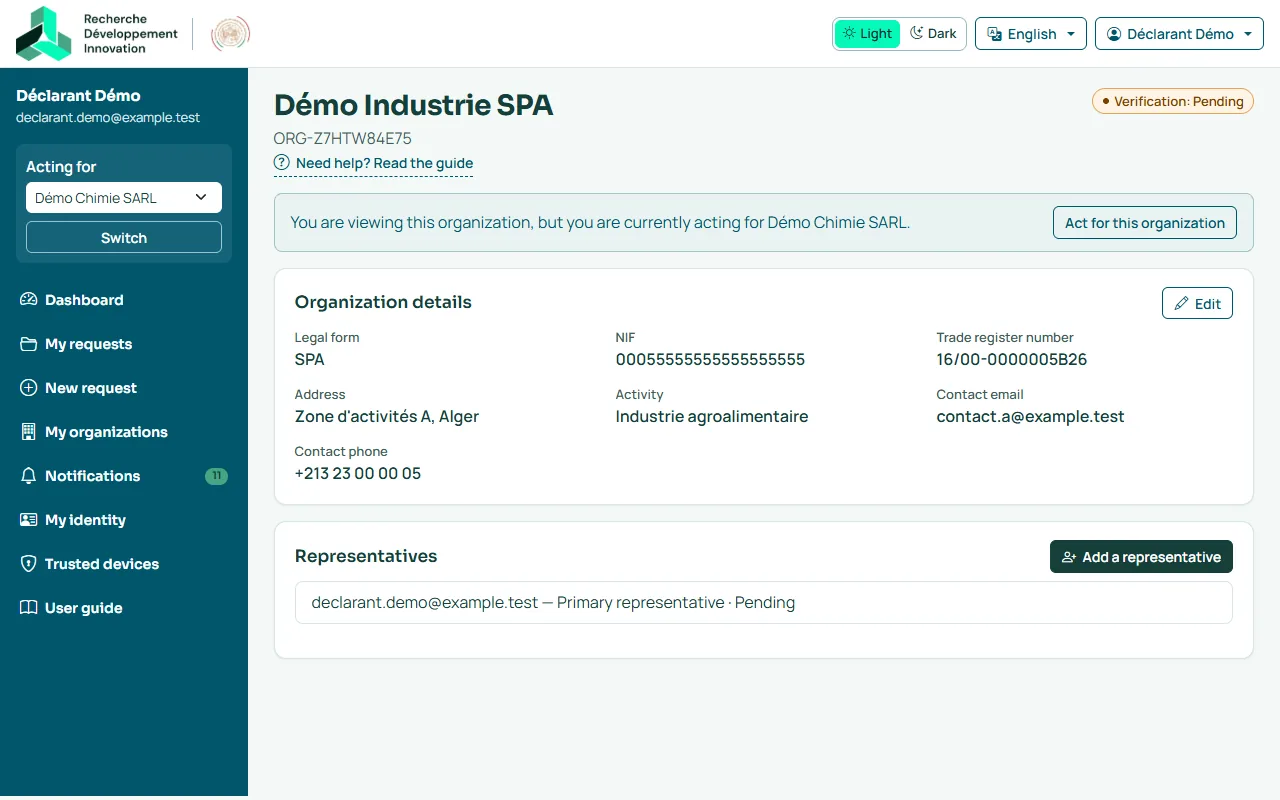
The organization page shows the saved information and the representatives.
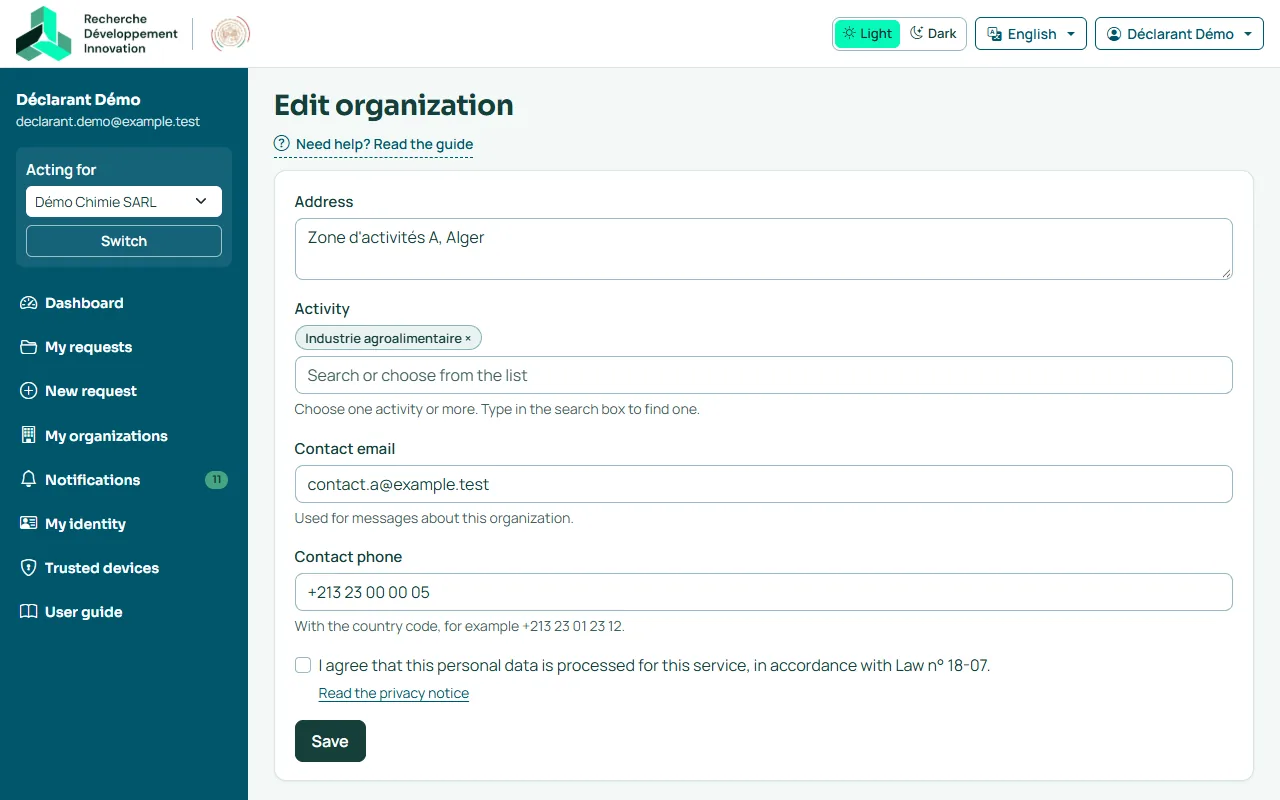
Afterwards, four items can be changed directly with Edit: address, activity, contact e-mail and contact phone. The company name, legal form, NIF and trade register are legal identifiers: they cannot be changed like ordinary fields (contact the administration if there is an error).
Only the address, activity, contact e-mail and phone can be changed here; a confirmation appears after saving.
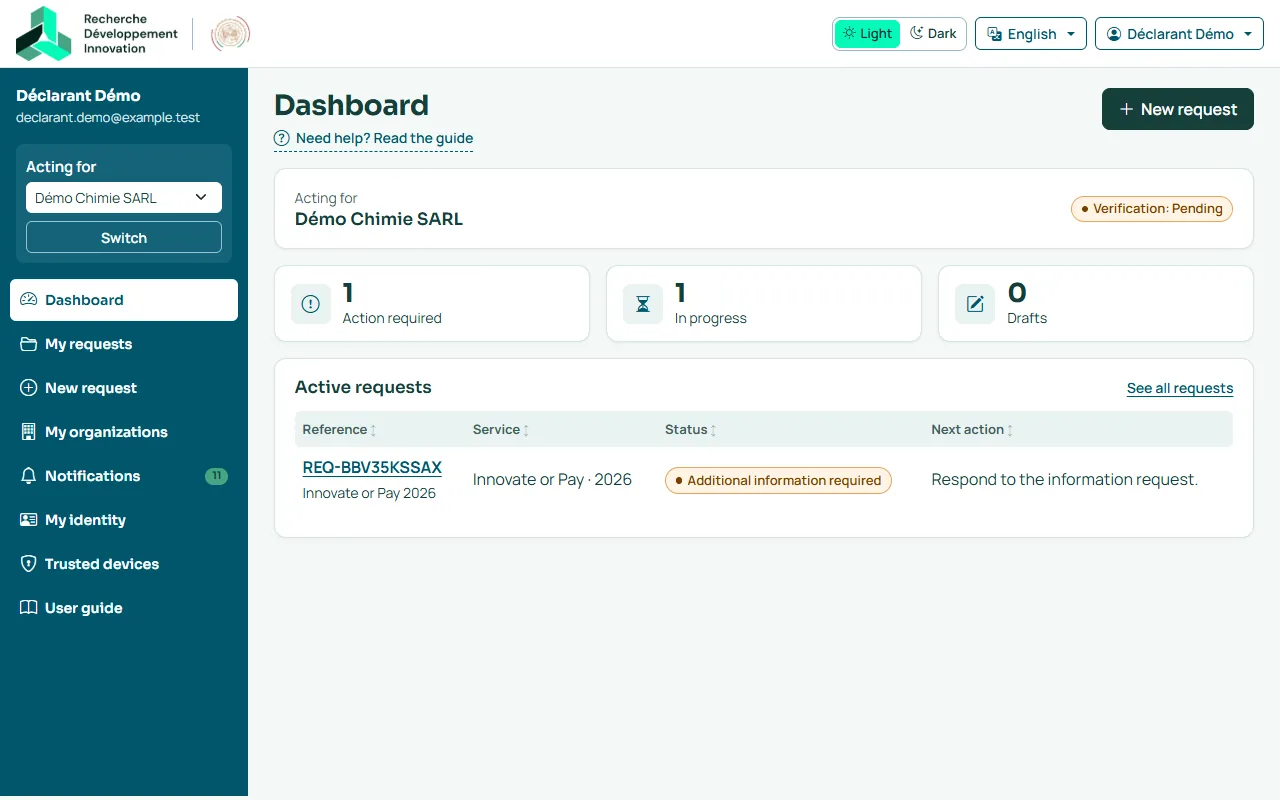
If you represent several organizations, choose the one you are working for in the Acting for menu at the top of your space menu, then click Switch.
The Dashboard: the Acting for menu shows the active organization; current requests and expected actions appear in the middle.
Next step: choose your service — Innovate or Pay is the current service for fiscal year 2026 — or go straight to creating a request.