


Internal R&D Expenses
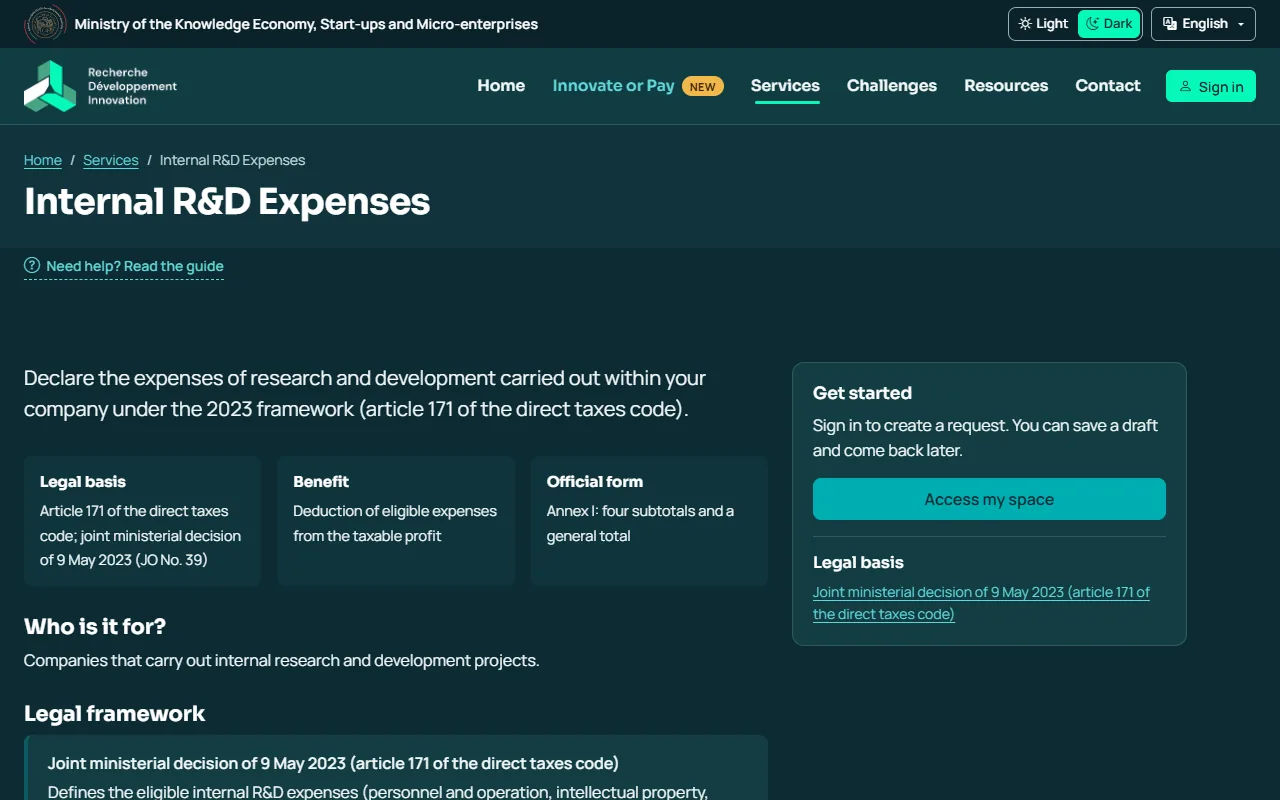
This chapter explains the Internal R&D Expenses declaration service under the 2023 framework: what it covers, then each screen of the declaration.
What is it?
This service is used to declare the research and development expenses the organization incurred in-house for its own projects, under the 2023 framework (deduction of eligible expenses from the taxable profit). After review, the administration issues the official annex I form.
Expense categories you can declare:
- Staff expenses for PhD holders, doctoral students, and holders of an engineering and/or master’s degree;
- Other operating expenses;
- Costs of acquiring, filing and protecting patents and any other intellectual property title;
- Certification and standardisation;
- R&D work carried out by public universities or public scientific research centres.
The journey
- Check that your identity and your organization are complete.
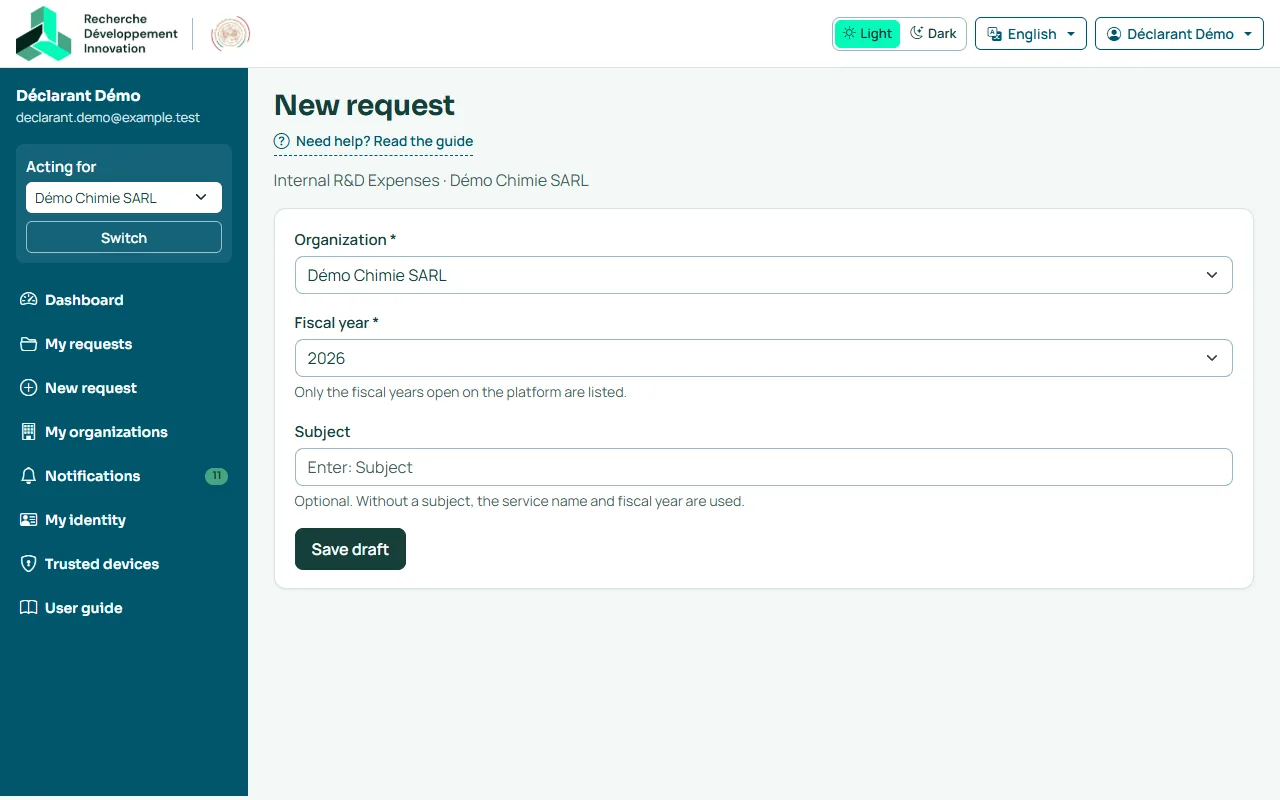
- New request → Internal R&D Expenses card → Start a request.
- Choose the organization and the fiscal year, then Save draft.
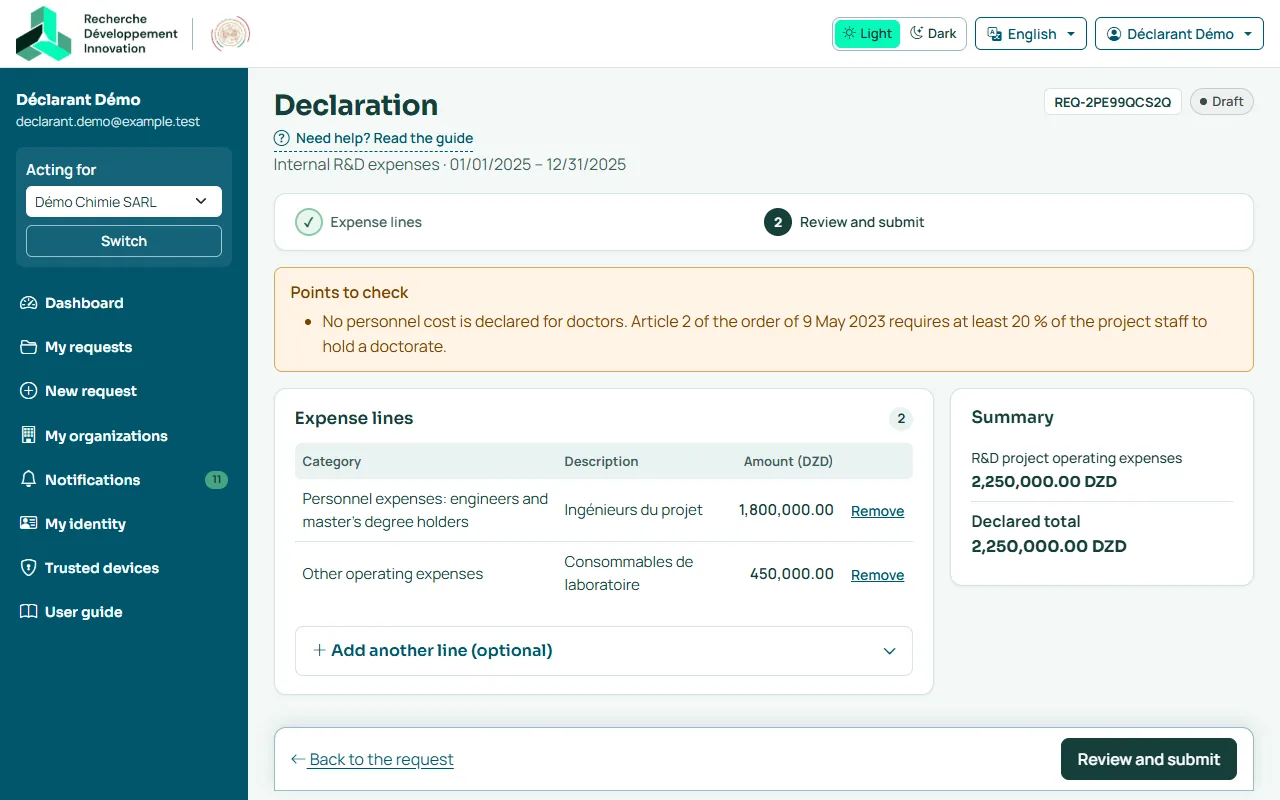
- At the Expense lines step, open Add another line (optional): choose the Category, describe the expense (Description) and enter the Amount (DZD), then Add the line. Repeat for each expense.
- Read the Points to check shown by the platform (for example the share of PhD-holding staff required by the order): they are reminders of the conditions of the text.
- Upload the requested supporting documents (PDF, PNG or JPEG, 50 MB maximum per file).
- Review and submit, tick the statements, then Submit the request.
- Follow the status; after approval, download the official form from the request.
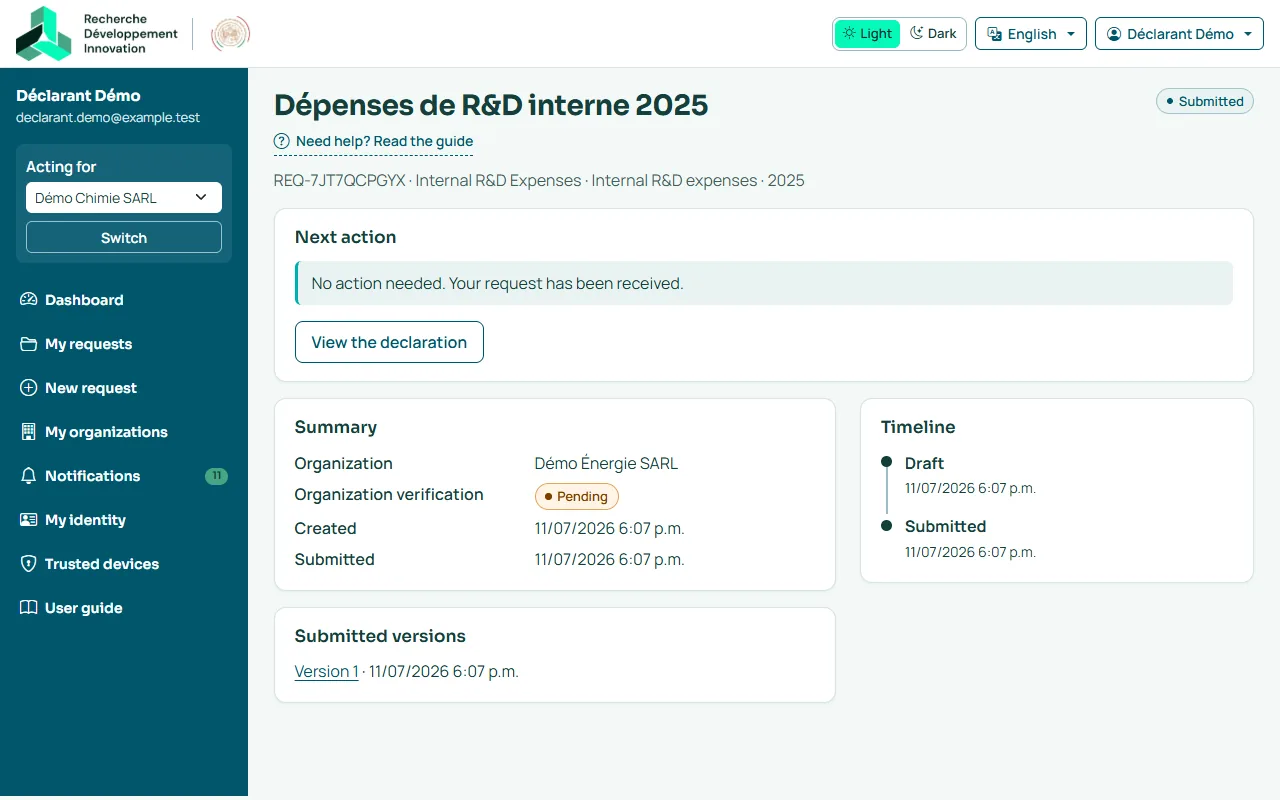
If the administration asks for more information, respond from the request as explained in When an action is required. A submitted request can no longer be edited or cancelled in the ordinary way.