


Fiscal year and figures
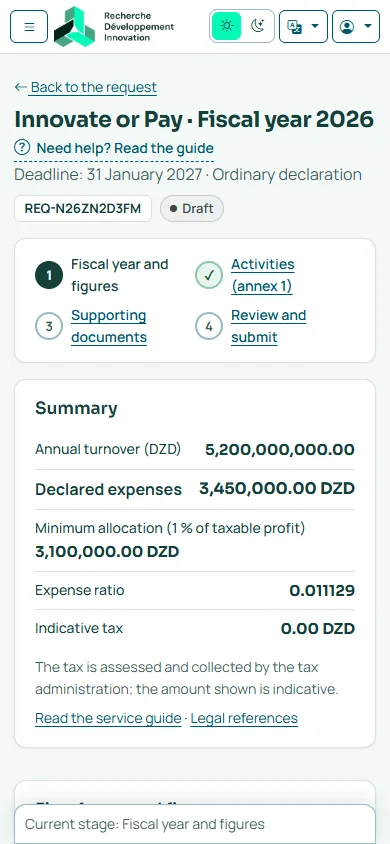
The first step of the editor: enter the fiscal year figures and choose the type of declaration. The Summary, on the right of the screen, is updated each time you save.
“Fiscal year and figures” step
Enter the Annual turnover (DZD) and the Taxable profit of the fiscal year (DZD) in digits, with no spaces. The two fields are side by side on a computer and one below the other on a phone. Then choose the Type of declaration and click Save and continue.
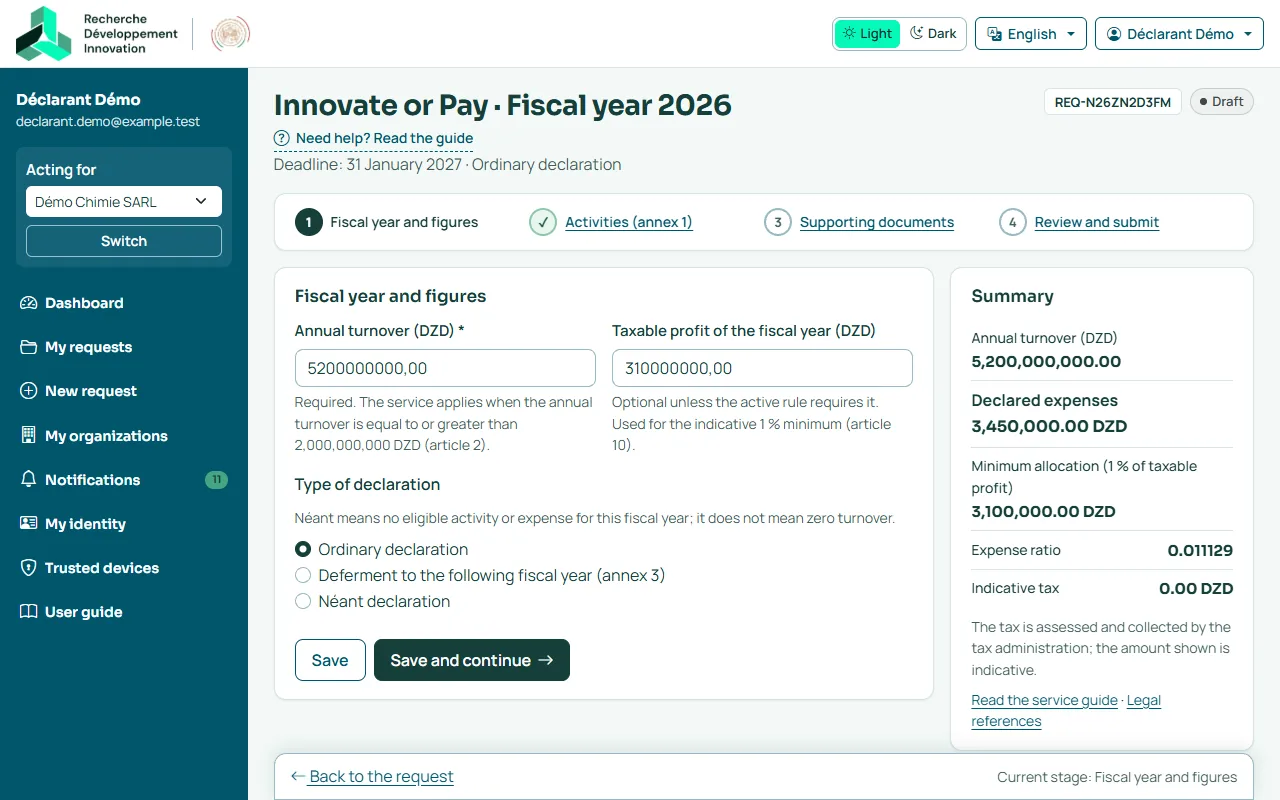
The type chosen determines the next steps: ordinary declaration (activities and documents), deferment (annex 3 undertaking) or Néant (confirmation).
Questions about the figures
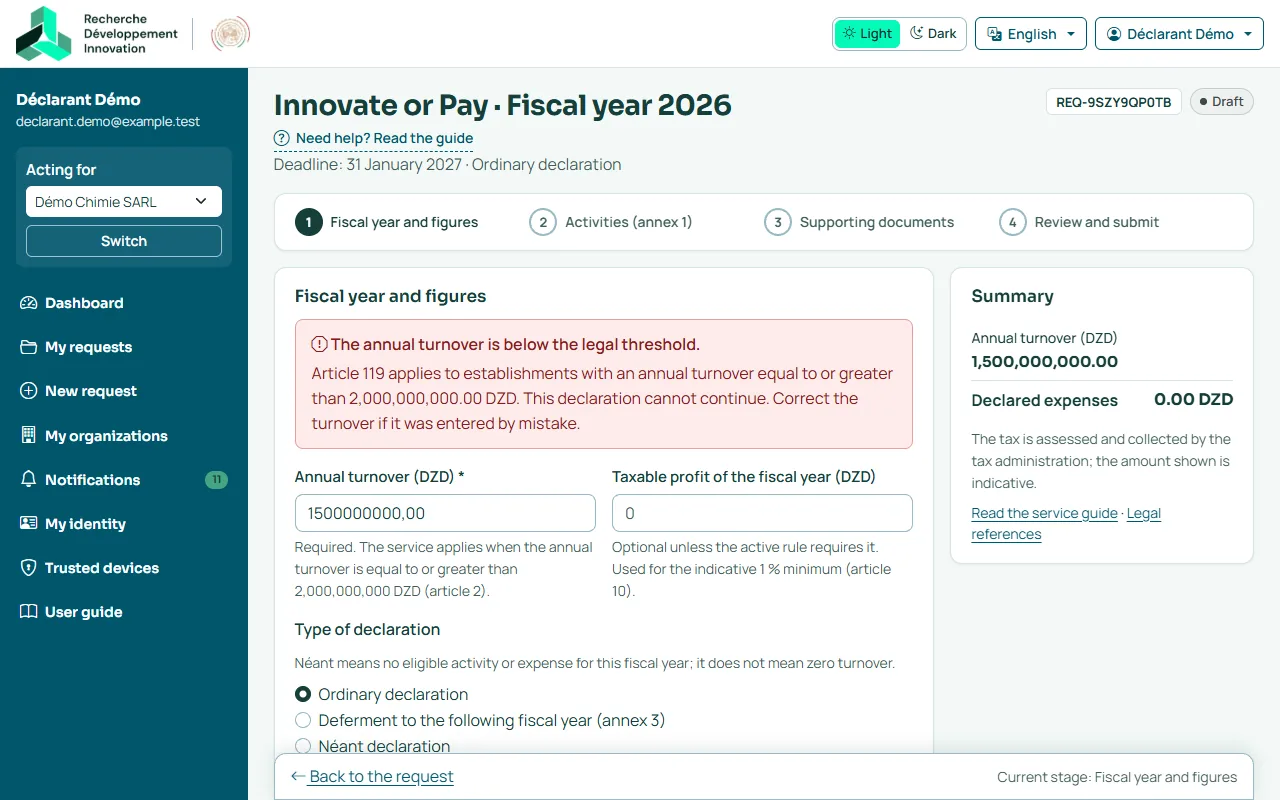
My turnover is below 2 billion DZD
The platform shows “The annual turnover is below the legal threshold”: the service does not apply to this fiscal year and the declaration cannot be submitted.
Is the taxable profit mandatory?
No, unless the active rule requires it. It is used to show the indicative minimum amount (1 % of the profit).