


Registration, identity and organization
Before declaring, your account, your identity and the institution profile must be ready. These shared steps are detailed in chapters 1 and 2; this section recalls what matters for Innovate or Pay.
What you need before starting
- Create an account and sign in with the code sent by e-mail.
- Complete My identity: 18-digit NIN for an Algerian citizen, passport for a foreign citizen.
- Add the profile of the declaring institution (company name, legal form, NIF, trade register, address, activity).
- If you represent several organizations, choose the institution concerned in the Acting for menu.
Create the Innovate or Pay declaration
Click New request, then Start a request on the Innovate or Pay card. Choose the organization and the fiscal year (2026), add a subject if useful, then click Save draft: the editor opens at the “Fiscal year and figures” step.
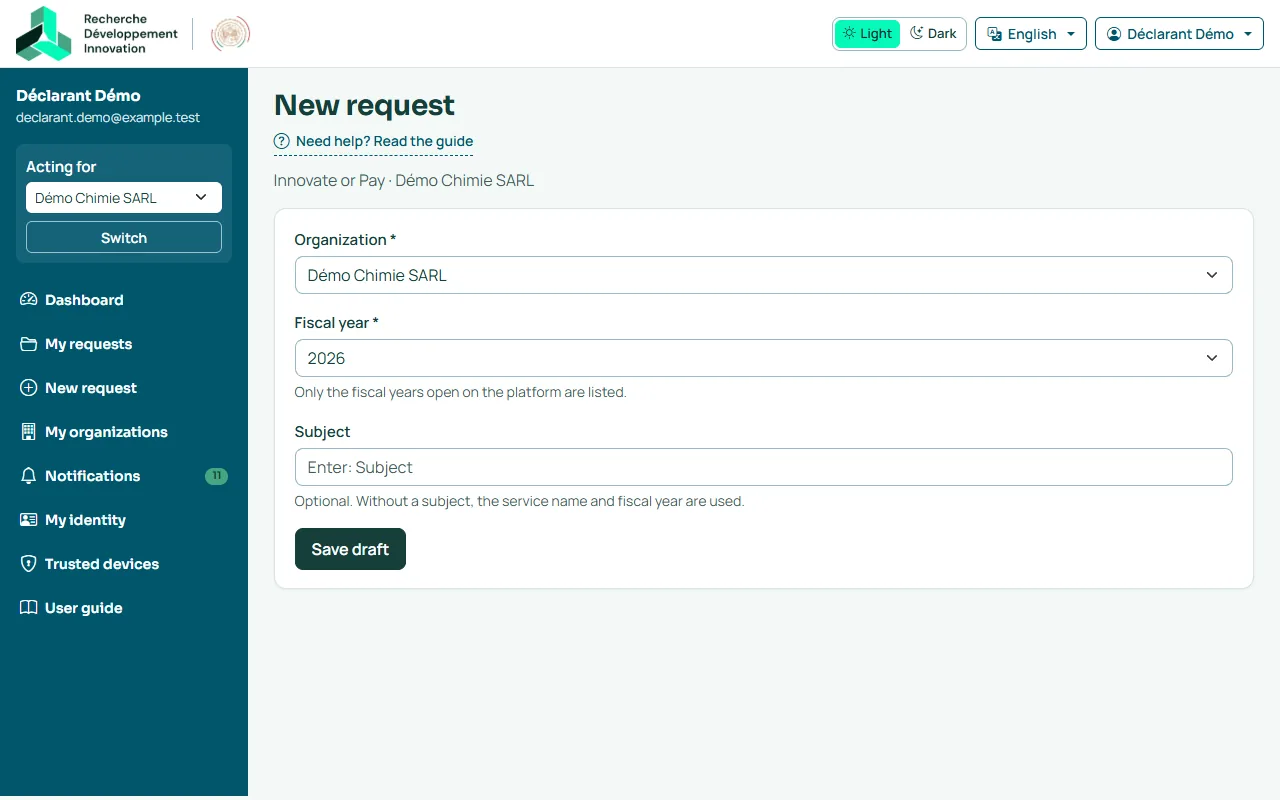
Only one request per institution and fiscal year can be under review or approved. If a request already exists for 2026, the platform shows it with its reference; rejected deferment cases are explained in Deadlines and rejection cases.